
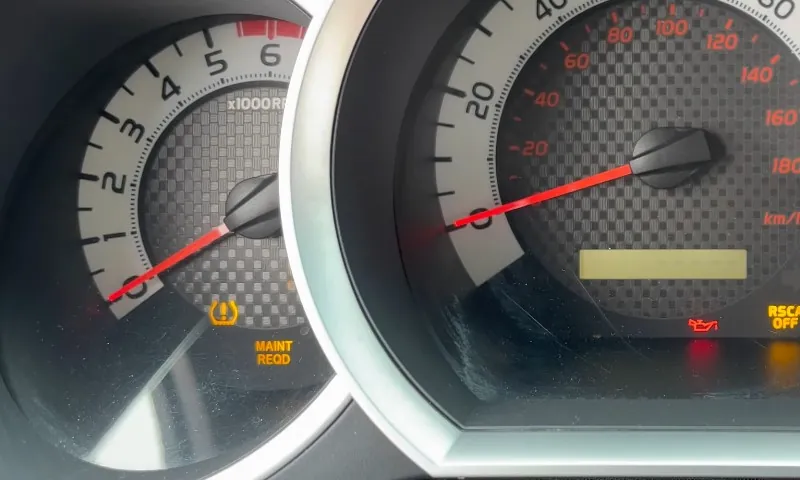
The first time the maintenance light pops up on a Toyota Tacoma, it can feel oddly urgent. The dash says “MAINT REQD,” the truck still drives fine, and nothing else looks wrong. Many owners wonder if something serious is hiding under the hood.
Good news first. That light is a reminder, not a warning. It exists to keep routine service from drifting off schedule. It does not mean the truck detected a problem. It also does not turn itself off after an oil change or tire rotation. Someone has to reset it.
Toyota changed how that reminder works across Tacoma generations and trims. Some trucks reset with the trip or odometer button. Others use the settings menu inside the instrument cluster. Push-button start trucks can behave like either group depending on the equipment.
Here’s a practical guide that walks through every common reset method, explains why the light appears, and helps troubleshoot the moments when it refuses to clear.
Which Reset Method Should You Try First?
Following that map saves time and avoids repeating steps that never apply to your cluster.
Before You Reset
View this post on Instagram
A few small details cause most reset failures. Checking them first avoids frustration.
Confirm Which Message Is Active
A glowing “MAINT REQD” light usually means the trip or odometer reset method applies.
A message shown inside the instrument screen, navigated with arrow buttons, usually resets through settings.
Make Sure The Truck Is In Ignition ON Mode
For key ignition trucks, the key should be turned to ON with the engine off.
For push-button trucks, press Start without pressing the brake. Many models require pressing Start twice. The dash should light up fully while the engine stays off.
Know Whether Your Cluster Wants ODO Or TRIP A
Some Tacomas reset only when the display shows total mileage. Others require TRIP A. Toyota used both approaches across different clusters.
If one display does nothing, try the other.
Method 1: Reset Using The Trip Or Odometer Button
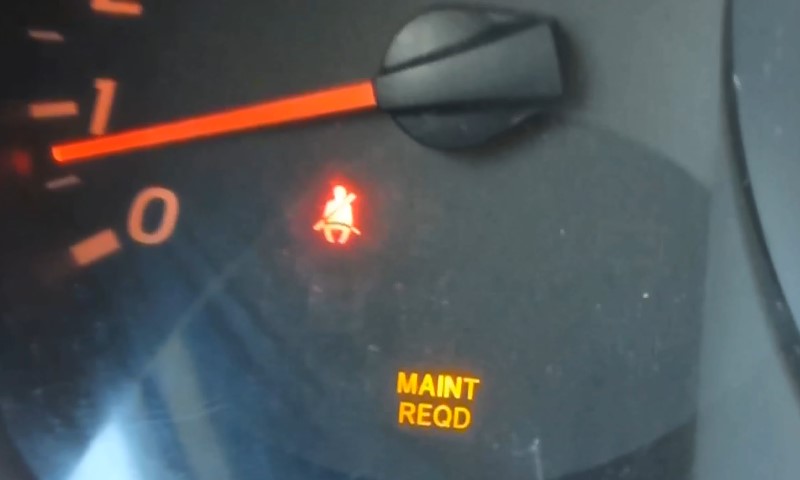
This method appears on many Tacomas from roughly 2005 through 2015 and even on some later trims.
It looks old school, but it works reliably when the display mode is correct.
Step-By-Step Trip Or Odometer Reset
- Turn the ignition to ON with the engine off.
- Press the trip or odometer button until the display shows ODO or TRIP A.
- Turn the ignition OFF.
- Press and hold the trip or odometer button.
- While holding the button, turn the ignition back to ON with the engine off.
- Keep holding the button. Watch the odometer area. A countdown, dashes, or zeros usually appear.
- Release the button once the maintenance light turns off.
- Cycle the ignition OFF, then ON to confirm the reminder is gone.
Time-Saving Notes
If nothing happens, the most common cause is the wrong display mode. Switch between ODO and TRIP A and repeat the process.
Another frequent issue comes from starting the engine instead of staying in ignition ON. The engine must remain off.
Method 2: Reset Through The Settings Menu On The Instrument Display
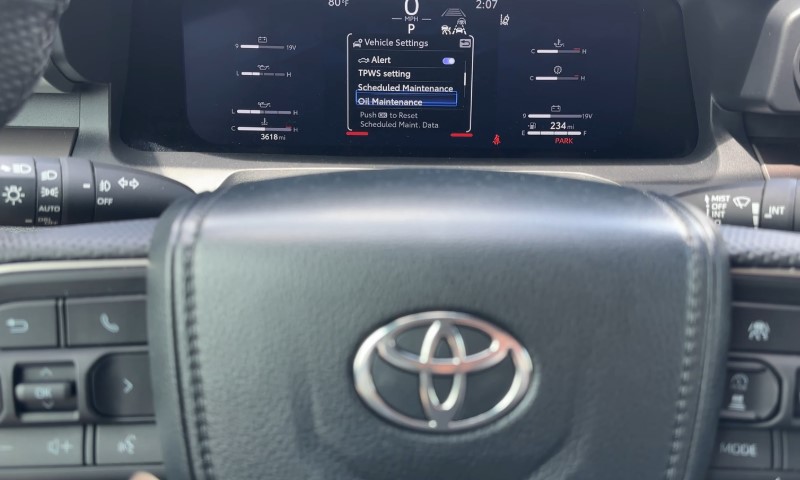
Many 2016 and newer Tacomas include a multi-information display controlled by steering wheel buttons. In those trucks, the maintenance reminder lives inside vehicle settings.
Step-By-Step Settings Menu Reset
- Set ignition to ON with the engine off.
- Use the steering wheel buttons to open the Settings menu. A gear icon usually marks it.
- Scroll to Scheduled Maintenance or similar wording.
- Select it and confirm the reset when prompted.
What You Should See
When the reset works, the display usually shows a confirmation message. The wording varies by year and cluster, though the result stays the same. The reminder clears.
Method 3: Push-Button Start With Trip Button Logic
Some push-button Tacomas still follow the older trip button logic, like Chevy Silverado, Ram 1500 and other rivals. The difference comes from how ignition ON mode is entered.
Common Push-Button Reset Sequence
- Press Start twice without pressing the brake to enter ignition ON.
- Use the trip button to select TRIP A.
- Power the truck OFF.
- Press and hold the trip button.
- While holding it, press Start twice again without the brake.
- Keep holding until the reminder clears.
If the truck also offers a settings menu reset, that option tends to feel cleaner and faster.
Why The Maintenance Light Came On In The First Place
Toyota designed the reminder to match routine service rhythm. On many Tacomas, that rhythm looks like this:
- Around every 5,000 miles
- Often around 6 months as a time interval
The reminder does not shut off after service. It waits for a manual reset.
Troubleshooting & When The Light Refuses To Reset
When the reminder sticks around, one of these issues usually explains why.
Wrong Display Mode
Some clusters reset only in ODO. Others accept TRIP A. Trying both solves many stubborn cases.
Not Truly In Ignition ON
Starting the engine blocks many reset sequences. For push-button trucks, avoid the brake pedal.
Button Released Too Early
Many clusters need several seconds to finish the countdown. Holding the button a bit longer helps.
Clearing The Wrong Reminder
Menu-based systems sometimes track more than one maintenance category. Make sure Scheduled Maintenance is the active one.
Reminder Comes Back Immediately
That usually means the reset did not fully store. Repeat the correct steps slowly and watch for confirmation behavior.
If repeated correct attempts fail, a sticky trip button or an instrument cluster issue could be involved. In those cases, a service visit may be the fastest solution.
A Real-World Example
Picture a Tacoma owner who changes oil at home on a Saturday morning. The service finishes, the truck starts, and the “MAINT REQD” light still glows.
That situation is normal. The truck has no idea the oil is fresh. A quick reset using the trip button or settings menu clears the reminder and restarts the service timer.
FAQs
Final Thoughts
Resetting the maintenance light on a Toyota Tacoma takes patience more than tools. The trick lies in matching the reset method to the dashboard style sitting in front of you.
Once the right sequence clicks, the process feels quick and predictable. The reminder goes dark, the service clock resets, and the truck keeps doing what it does best.
That is all the system ever wanted to accomplish.